Nº 346 of 520
Phone permission prompt
A soft pre-permission screen before the OS asks: a swaying plant drawing, three reasons, Allow and Not now, a labelled system step, then a granted or later state.
Preview
Use it
Free to use · credit appreciated1 Once, in your project
npx skills add SusanAcharya/Design-Lounge 2 Then ask
Using the Design Lounge skill, build "Phone permission prompt" (piece phone-permission-prompt) in my stack. Match its brief; restyle it onto my product's theme.
No skill? Paste the brief instead. It carries the numbers, tokens and behaviour.
<!-- Design Lounge Nº 346 · "Phone permission prompt" · designlounge.vercel.app -->

# Phone permission prompt

> **Build brief for a coding agent.** Rebuild this piece in the reader's stack. If they haven't said which stack, ask once, then default to semantic HTML + CSS + a little vanilla JS. Match the numbers below; don't "improve" them. When a kit is locked, map colours onto the kit tokens. This is the soft, organic family: 20px radii, sage on cream, a rounded serif for headlines.

## What it is

A full phone screen that asks for notification permission before the operating system does. It belongs to a fictional plant care app called Fennel. A small drawing of a potted sprout sways, water drops fall, and a bell rings once every few seconds. Under it sit a headline, three short reasons, a sage Allow button and a quiet Not now button.

Allow opens a neutral sheet that stands in for the OS dialog. The sheet is labelled "System step · your phone draws this", so nobody mistakes it for a copy of a real OS alert. Allowing shows a granted screen. Not now, or Don't allow, shows how to turn reminders on later in three steps.

The detail worth copying is the order. You explain first, in your own voice, and only then fire the one-shot OS prompt. A user who says no on your screen has not burned the real prompt.

## Reference behaviour

1. The first frame is the ask screen. The drawing card is 272px tall and already moving.
2. The card has a 12px caps tag in the top left: "Fennel · Reminders".
3. In the card, two leaves sway ±3deg on a 5.6s loop, half a cycle apart. Three drops fall 64px from above the sprout, 1.05s apart, on a 3.2s loop. The bell rings at 80% of a 5.6s loop and a ring spreads from it.
4. The headline reads "Let Fennel tell you when a plant is thirsty" in 32px soft serif over two lines.
5. Three reasons follow. Each has a 36px sage icon tile, a bold line and a plain line:
   - "Only on watering day". "One nudge per plant. Nothing on the other days."
   - "Frost warnings". "The night before it drops under 3°C."
   - "Quiet at night". "No sound between 21:00 and 08:00."
6. At the bottom, above the 34px home clearance: "Allow reminders", 54px sage, and "Not now", 48px text button.
7. Tapping "Allow reminders" fades in a scrim to 42% and slides a neutral sheet up from the bottom in 360ms. The ask screen becomes `inert`. Focus moves to the sheet's Allow button.
8. The sheet has a dashed rule under its label "System step · your phone draws this", then "Allow “Fennel” to send you notifications?", a line of body copy, and two 48px buttons: "Don’t allow" and "Allow".
9. Sheet Allow closes the sheet and shows the granted screen. Sheet "Don’t allow" closes it and shows the later screen.
10. Escape, or a tap on the scrim, closes the sheet and returns focus to "Allow reminders". It does not count as a decision.
11. The granted screen keeps the drawing with a third leaf. The bell becomes a sage circle with a cream tick. The headline reads "You are all set". The lead reads "First reminder: Thursday at 08:30, for the Monstera on the landing." A chip reads "4 plants on the schedule". One button: Done.
12. The later screen has no drawing. Headline "No reminders for now". A lead line, then three numbered steps: Open Settings on your phone, Scroll to Fennel then Notifications, Turn on Allow notifications. A chip reads "Watering days show on the Today tab". Buttons: "Back to my plants" and "Ask me again".
13. Not now on the ask screen goes straight to the later screen. It never opens the sheet.
14. Each new screen fades its children up 10px with a 60ms stagger. Focus moves to the new headline.
15. "Ask me again" returns to the ask screen and opens the sheet. Done and "Back to my plants" return to the ask screen.

## Structure

```
390 x 844, cream page
padding 54px top, 24px sides, 34px bottom

… 244 more lines. Copy or download for the full brief. Loading the source…Brief
284 linesBuild brief for a coding agent. Rebuild this piece in the reader’s stack. If they haven’t said which stack, ask once, then default to semantic HTML + CSS + a little vanilla JS. Match the numbers below; don’t “improve” them. When a kit is locked, map colours onto the kit tokens. This is the soft, organic family: 20px radii, sage on cream, a rounded serif for headlines.
What it is
A full phone screen that asks for notification permission before the operating system does. It belongs to a fictional plant care app called Fennel. A small drawing of a potted sprout sways, water drops fall, and a bell rings once every few seconds. Under it sit a headline, three short reasons, a sage Allow button and a quiet Not now button.
Allow opens a neutral sheet that stands in for the OS dialog. The sheet is labelled “System step · your phone draws this”, so nobody mistakes it for a copy of a real OS alert. Allowing shows a granted screen. Not now, or Don’t allow, shows how to turn reminders on later in three steps.
The detail worth copying is the order. You explain first, in your own voice, and only then fire the one-shot OS prompt. A user who says no on your screen has not burned the real prompt.
Reference behaviour
- The first frame is the ask screen. The drawing card is 272px tall and already moving.
- The card has a 12px caps tag in the top left: “Fennel · Reminders”.
- In the card, two leaves sway ±3deg on a 5.6s loop, half a cycle apart. Three drops fall 64px from above the sprout, 1.05s apart, on a 3.2s loop. The bell rings at 80% of a 5.6s loop and a ring spreads from it.
- The headline reads “Let Fennel tell you when a plant is thirsty” in 32px soft serif over two lines.
- Three reasons follow. Each has a 36px sage icon tile, a bold line and a plain line:
- “Only on watering day”. “One nudge per plant. Nothing on the other days.”
- “Frost warnings”. “The night before it drops under 3°C.”
- “Quiet at night”. “No sound between 21:00 and 08:00.”
- At the bottom, above the 34px home clearance: “Allow reminders”, 54px sage, and “Not now”, 48px text button.
- Tapping “Allow reminders” fades in a scrim to 42% and slides a neutral sheet up from the bottom in 360ms. The ask screen becomes
inert. Focus moves to the sheet’s Allow button. - The sheet has a dashed rule under its label “System step · your phone draws this”, then “Allow “Fennel” to send you notifications?”, a line of body copy, and two 48px buttons: “Don’t allow” and “Allow”.
- Sheet Allow closes the sheet and shows the granted screen. Sheet “Don’t allow” closes it and shows the later screen.
- Escape, or a tap on the scrim, closes the sheet and returns focus to “Allow reminders”. It does not count as a decision.
- The granted screen keeps the drawing with a third leaf. The bell becomes a sage circle with a cream tick. The headline reads “You are all set”. The lead reads “First reminder: Thursday at 08:30, for the Monstera on the landing.” A chip reads “4 plants on the schedule”. One button: Done.
- The later screen has no drawing. Headline “No reminders for now”. A lead line, then three numbered steps: Open Settings on your phone, Scroll to Fennel then Notifications, Turn on Allow notifications. A chip reads “Watering days show on the Today tab”. Buttons: “Back to my plants” and “Ask me again”.
- Not now on the ask screen goes straight to the later screen. It never opens the sheet.
- Each new screen fades its children up 10px with a 60ms stagger. Focus moves to the new headline.
- “Ask me again” returns to the ask screen and opens the sheet. Done and “Back to my plants” return to the ask screen.
Structure
390 x 844, cream page
padding 54px top, 24px sides, 34px bottom
+--------------------------------------------+
| +----------------------------------------+ |
| | FENNEL · REMINDERS              (bell) | |  card 272px, radius 20
| |                                        | |
| |              . drops                   | |
| |           \ leaves /                   | |
| |          [  pot  ]                     | |
| |   ( large sage hill circle )           | |
| +----------------------------------------+ |
|                                            |  24px
| Let Fennel tell you when                   |  32px serif
| a plant is thirsty                         |
|                                            |  20px
| [ico] Only on watering day                 |  36px tile, 12px gap
|       One nudge per plant...               |
| [ico] Frost warnings                       |  14px between rows
| [ico] Quiet at night                       |
|                                            |  flex spacer
| [        Allow reminders         ]         |  54px, radius 20
| [            Not now             ]         |  48px, text only
| 34px home clearance                        |
+--------------------------------------------+

system step (fixed, 12px from sides, 34px from bottom)
+--------------------------------------------+
| [phone] SYSTEM STEP · YOUR PHONE DRAWS THIS|  11px caps, dashed rule
| Allow “Fennel” to send you notifications?  |  17px system font
| Notifications may include alerts...        |  14px
| [ Don’t allow ]  [ Allow ]                 |  48px each, 8px gap
+--------------------------------------------+- Each screen is a
sectionwitharia-labelledbypointing at its heading. Only one is visible at a time. - The ask screen uses the only
h1. The other screens useh2. Every heading hastabindex="-1"so script can focus it. - The drawing is one inline SVG,
aria-hidden="true". The reasons carry the meaning. - Reasons are a
ul. Steps are anolwith a CSS counter in a 32px cream circle. - The actions block uses
margin-top: autoso it sits on the bottom edge. - The system step is a
div role="dialog" aria-modal="true"witharia-labelledbyandaria-describedby. - A visually hidden
p aria-live="polite"announces each outcome.
Tokens
:root {
  --bg: #f5efe2;          /* cream page */
  --card: #e7ead9;        /* drawing card, icon tiles, steps */
  --card-2: #d7dfc6;      /* hill in the drawing */
  --ink: #26301f;         /* headline, bold text */
  --ink-2: #4b5641;       /* body */
  --ink-3: #5d6753;       /* fine print */
  --sage: #56704a;        /* primary button, main leaf */
  --sage-deep: #3d5434;   /* hover, icons, focus */
  --leaf: #7f9a6c;        /* second leaf */
  --clay: #c98a63;        /* pot */
  --water: #7aa3b0;       /* drops */
  --sys-bg: #f2f2f0;      /* neutral system sheet */
  --sys-ink: #1d1d1b;
  --sys-line: #cfcfcb;
  --scrim: rgba(30, 36, 26, 0.42);
  --display: "Fraunces", Georgia, serif;
  --sans: "Source Sans 3", system-ui, sans-serif;
  --r: 20px;
  --r-sm: 12px;
  --space: 4px 8px 12px 16px 20px 24px;
  --ease: cubic-bezier(0.2, 0.7, 0.2, 1);
  --sheet: cubic-bezier(0.32, 0.72, 0, 1);
  --loop: cubic-bezier(0.45, 0, 0.55, 1);
}
The system sheet uses its own grey tokens and the platform system font on purpose. It must look foreign to the app, because it is the OS’s turn to speak.
Typography
| Role | Family | Size | Weight | Line-height | Tracking |
|---|---|---|---|---|---|
| Ask headline | Fraunces, SOFT 100, opsz 72 | 32px | 560 | 1.06 | -0.015em |
| Result headline | Fraunces, SOFT 100, opsz 72 | 30px | 560 | 1.06 | -0.015em |
| Reason title | Source Sans 3 | 16px | 600 | 1.45 | 0 |
| Reason body | Source Sans 3 | 15px | 400 | 1.45 | 0 |
| Lead | Source Sans 3 | 16px | 400 | 1.45 | 0 |
| Primary button | Source Sans 3 | 17px | 600 | 1 | 0 |
| Quiet button | Source Sans 3 | 16px | 600 | 1 | 0 |
| Card tag | Source Sans 3 | 12px | 600 | 1 | 0.08em, caps |
| Step number | Fraunces | 16px | 600 | 1 | 0 |
| System label | Source Sans 3 | 11px | 600 | 1.2 | 0.1em, caps |
| System title | system-ui | 17px | 600 | 1.3 | 0 |
Load Fraunces with the SOFT axis: family=Fraunces:opsz,wght,SOFT@9..144,500..600,100. Then set font-variation-settings: "SOFT" 100, "opsz" 72. SOFT 100 rounds the serifs. Without it the face reads sharp and editorial, which is the wrong family.
Motion
| Thing | Trigger | Property | From → to | Duration | Easing | Delay | Reduced motion |
|---|---|---|---|---|---|---|---|
| Front leaf | loop | rotate around pot rim | -3deg → 3deg → -3deg | 5.6s | --loop | 0 | still |
| Back leaf | loop | rotate | same | 5.6s | --loop | -2.8s | still |
| Drops | loop | translateY, opacity | 0, 0 → 64px, 0 (1 from 15% to 70%) | 3.2s | cubic-bezier(.5,0,.8,.6) | 0, 1.05s, 2.1s | one drop shown, still |
| Bell | loop | rotate | 0 → 12 → -10 → 6 → -3 → 0deg, from 80% to 100% | 5.6s | --ease | 0 | still |
| Bell ring | loop | scale, opacity | 0.6, 0 → 1.5, 0 (0.6 at 88%) | 5.6s | --ease | 0 | hidden |
| Screen enter | screen change | opacity, translateY | 0, 10px → 1, 0 | 520ms | --ease | 60ms stagger | instant |
| Scrim | open, close | opacity | 0 → 1 | 240ms | --ease | 0 | instant |
| System sheet | open, close | translateY | 100% + 48px → 0 | 360ms | --sheet | 0 | instant |
| Primary press | active | scale | 1 → 0.98 | 160ms | --ease | 0 | none |
Rotate the leaves around the pot rim, transform-origin: 195px 196px in SVG user space. Rotating around the leaf’s own centre makes it spin, not sway. The bell rings once per loop and rests for 80% of it. A bell that never stops is a nag, which is the opposite of the pitch.
States
- Primary resting:
--sagefill, cream text#fbf8ef, radius 20px. - Primary hover:
--sage-deep. Active: scale 0.98. - Quiet resting: no fill,
--ink-2text. Hover:rgba(86,112,74,.08)fill. - Focus-visible: 2px
--sage-deepoutline, 3px offset. Inside the system sheet the ring is 2px--sys-ink, 2px offset. - Sheet open: scrim at 42%, ask screen
inert, focus trapped between the two sheet buttons. - Granted: tick bell, third leaf, chip with a tick icon.
- Later: steps list, no drawing, chip with a drop icon.
- Loading: not used. The real OS answer is instant. If the platform is slow, keep the sheet up until it answers.
- Error: not used. A failed request is treated as “not now”.
Accessibility
- The drawing is decorative and
aria-hidden. Never put the reasons inside the SVG. - On every screen change, move focus to the new heading. Announce the outcome in the polite live region: “Reminders allowed.” or “Reminders are off. Steps to turn them on later are shown.”
- The system step is
role="dialog"witharia-modal="true". Tab and Shift+Tab loop between its two buttons. Escape closes it. - Mark the screen behind as
inertwhile the sheet is open. Removeinertwhen it closes. - When the sheet closes without a choice, return focus to the button that opened it.
- Button words say what happens: “Allow reminders”, not “Continue”.
- Contrast:
#26301fon#f5efe2is above 12:1.#4b5641on#f5efe2is above 7:1.#fbf8efon#56704ais about 4.9:1.#5d6753on#f5efe2is about 5:1. - Hit targets: primary 54px, quiet 48px, sheet buttons 48px, all full width or half width.
- Under reduced motion, every loop stops on a calm pose. The screens still change. Nothing is lost.
Responsive rules
- The frame is 390×844. Padding 54px top, 24px sides, 34px bottom.
- At 360 wide, the headline wraps to three lines. Keep 32px. Cut the card to 240px tall so the buttons still fit above the home area.
- Under 700px tall, cut the card to 200px and the reason gap to 10px. Do not drop a reason.
- At tablet width, center the column at 420px. The system step stays a sheet 420px wide at the bottom of that column.
- In landscape phone, put the drawing on the left half and the text and buttons on the right.
- Do not draw a status bar. The padding is the clearance.
Acceptance checklist
Always
- The explainer screen comes before the OS prompt. The OS prompt is only requested after the primary tap.
- Exactly three reasons, each one short line plus one plain line.
- One primary button and one quiet button. No close X.
- The simulated system step is visibly labelled as the system step and uses neutral grey, not app colours.
- The decline path never opens the system prompt and shows how to turn it on later.
- Focus moves to the new heading on every screen change, and the outcome is announced.
- The system sheet traps focus, closes on Escape, and makes the page behind
inert. - Every button is at least 44px tall. The bottom button clears 34px.
- Every loop stops under reduced motion.
- Radii are 20px on cards and buttons, 12px on small tiles.
This demo
- The headline reads “Let Fennel tell you when a plant is thirsty” in 32px Fraunces with SOFT 100.
- Reasons read “Only on watering day”, “Frost warnings”, “Quiet at night”.
- Buttons read “Allow reminders” and “Not now”.
- The sheet label reads “System step · your phone draws this”.
- The granted lead names Thursday at 08:30 and the Monstera.
- The later screen lists Settings, Fennel then Notifications, and Allow notifications.
Implementation notes
In a real app, the primary button calls the platform API. The simulated sheet is only for this demo. Map it like this:
async function askForReminders() {
  // Web: Notification.requestPermission(). iOS: UNUserNotificationCenter.requestAuthorization.
  // Android 13+: request POST_NOTIFICATIONS.
  const result = await Notification.requestPermission();
  show(result === 'granted' ? 'granted' : 'declined');
}
Check the current status before showing the explainer. If it is already granted, skip the screen. If the OS reports “denied”, the OS will not ask again, so open the later screen straight away.
Sheet open and close, with inert and focus return:
function openSys() {
  lastFocus = document.activeElement;
  scrim.hidden = sys.hidden = false;
  ask.inert = true;
  requestAnimationFrame(() => requestAnimationFrame(() => {
    scrim.classList.add('on'); sys.classList.add('on'); grant.focus();
  }));
}
function closeSys(next) {
  scrim.classList.remove('on'); sys.classList.remove('on');
  ask.inert = false;
  setTimeout(() => { scrim.hidden = sys.hidden = true; }, reduced ? 0 : 360);
  next ? show(next) : lastFocus.focus();
}
The two requestAnimationFrame calls let the browser paint the sheet off screen before the transform runs. Without them the sheet appears with no slide.
The leaf sway, with the pivot on the pot rim:
.sway  { transform-origin: 195px 196px; animation: sway 5.6s var(--loop) infinite; }
.sway2 { transform-origin: 195px 196px; animation: sway 5.6s var(--loop) -2.8s infinite; }
@keyframes sway { 0%, 100% { transform: rotate(-3deg); } 50% { transform: rotate(3deg); } }
@media (prefers-reduced-motion: reduce) { .sway, .sway2, .drop, .bell, .halo { animation: none; } }
Draw the scene from six shapes only: one big hill circle, a pot trapezoid, a rim rounded rectangle, two leaf paths, three drop circles and a bell. Keep the palette to sage, leaf, clay, water and cream.
Common mistakes:
- Firing the OS prompt on first launch with no context. Many users say no, and the OS will not ask again.
- Drawing a pixel copy of the iOS or Android alert. Label the step instead.
- A guilt line on the decline button, such as “No, I like dead plants”.
- Hiding Not now as tiny grey text. It is a full 48px button.
- Five reasons. Three is the piece.
- A bouncing bell on a 1s loop. It rings once per 5.6s and rests.
- Purple gradients or a glowing blob behind the drawing. The card is flat
--card. - Leaving the page behind the sheet focusable.
- Fraunces without the SOFT axis.
Where it sits:
- It shows the first time the user adds a plant with a watering schedule. That is the moment the reason is obvious.
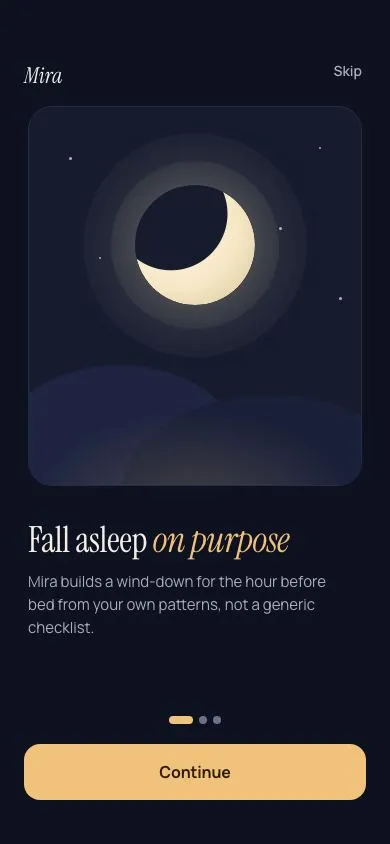
- It is not part of the first-run carousel.
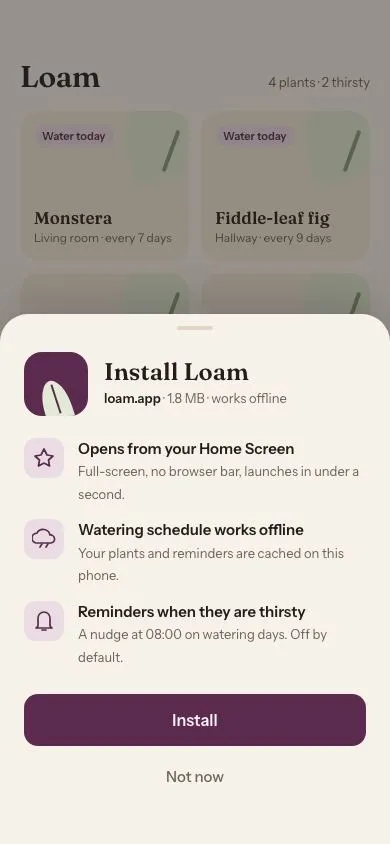
ios-onboarding-carouselexplains the app. This asks for one thing at the moment it is needed. - The install pitch for the web version is
pwa-install-sheet. Do not stack both on the same visit. - The later screen’s steps point to the in-app toggle too. That toggle lives in an
ios-grouped-settingsrow restyled to these tokens. - The same pattern works for location: swap the bell for a pin, and the reasons for “Local frost alerts”, “Sunrise times”, “Never shared”.
Rebuild order:
- Build the ask screen with the card, headline, reasons and two buttons.
- Draw the SVG scene and add the three loops.
- Add the reduced-motion block.
- Build the granted and later screens.
- Build the system sheet, scrim,
inertand focus trap. - Wire the screen changes with focus moves and live messages.
- Replace the simulated sheet with the real platform request in the product.
Details
- Palette
- Type
- Fraunces · Source Sans 3
- Motion
- Subtle motion
- Build
- One session
- Tags
On the shelves