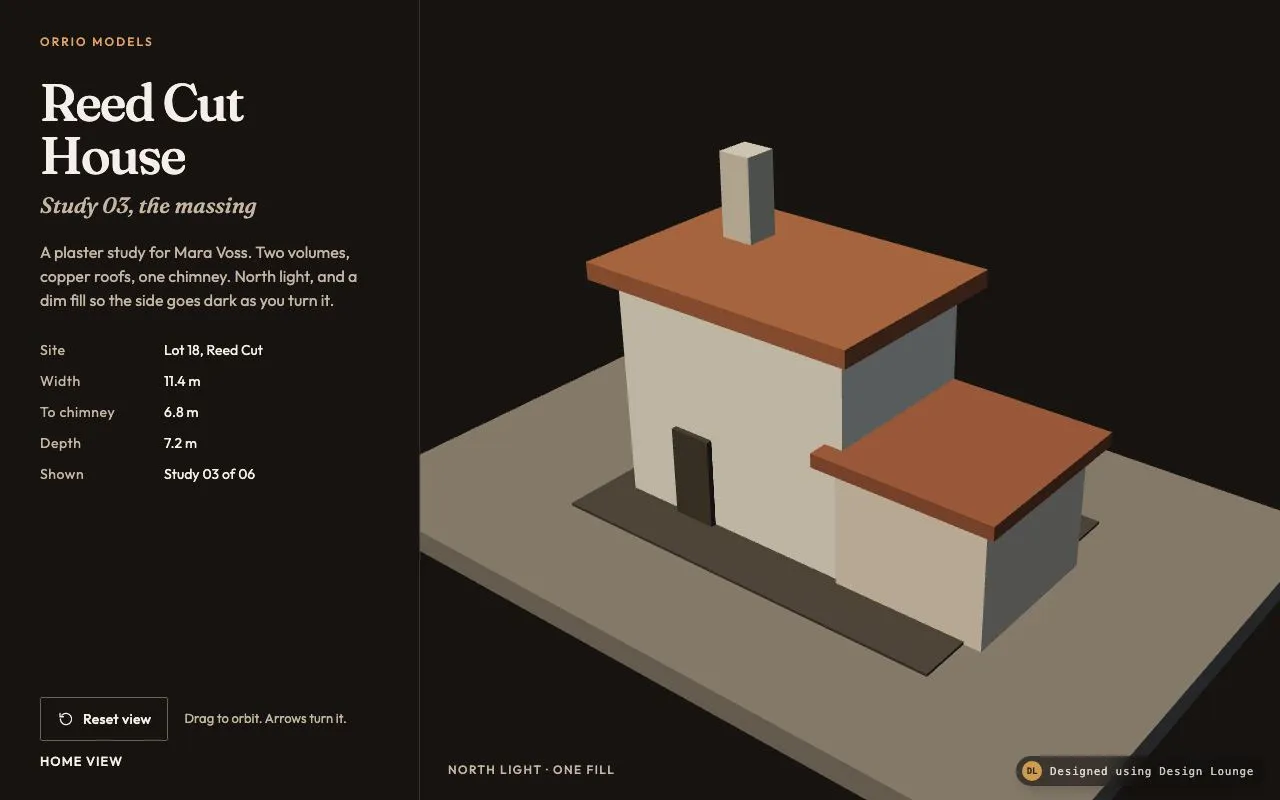
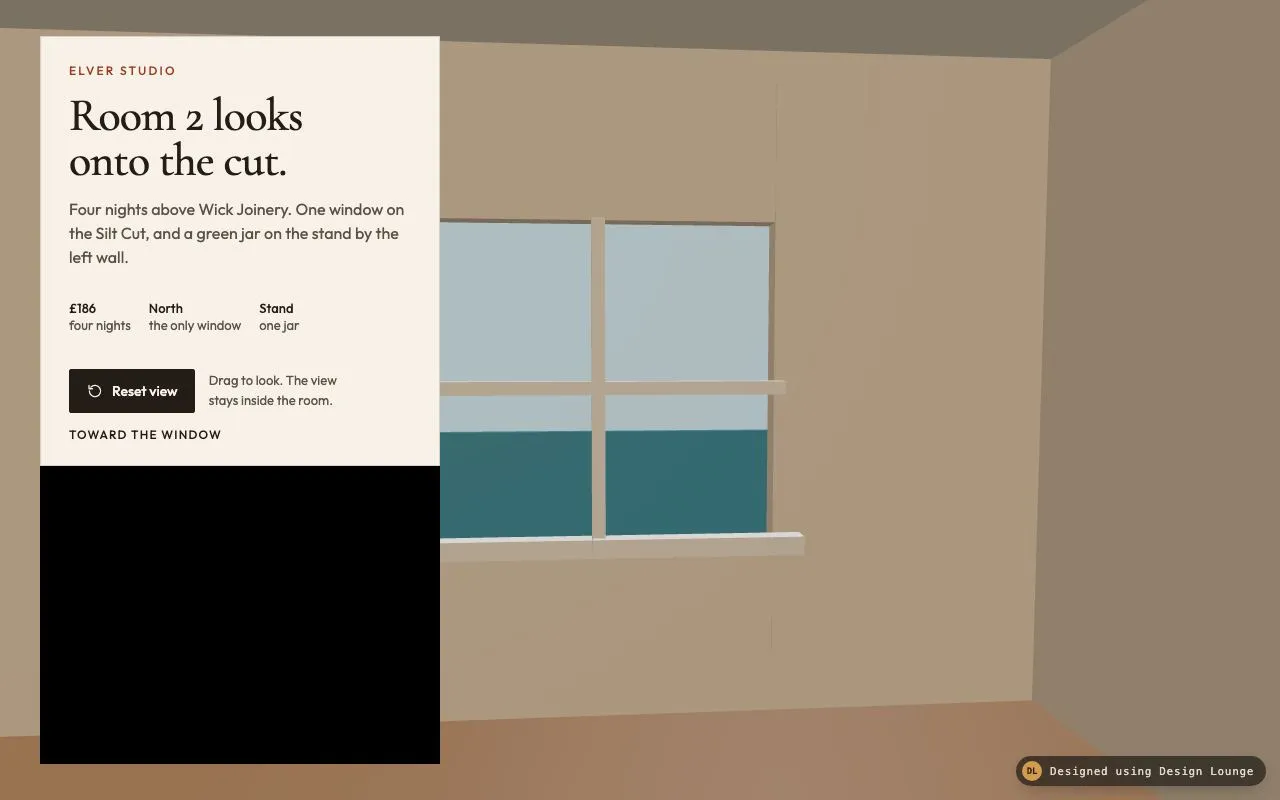
Nº 517 of 520
Scroll past three path models
Three chapters beside a canvas. Scroll moves the camera past a gate, a cistern, and a belvedere. Buttons jump.
Preview
Use it
Free to use · credit appreciated1 Once, in your project
npx skills add SusanAcharya/Design-Lounge 2 Then ask
Using the Design Lounge skill, build "Scroll past three path models" (piece three-scroll-world) in my stack. Match its brief; restyle it onto my product's theme.
No skill? Paste the brief instead. It carries the numbers, tokens and behaviour.
<!-- Design Lounge Nº 517 · "Scroll past three path models" · designlounge.vercel.app -->

# Scroll past three path models

> **Build brief for a coding agent.** Rebuild this piece in the reader's stack. If they haven't said which stack, ask once, then default to semantic HTML + CSS + a little vanilla JS. Match the numbers below; don't "improve" them.

The page chrome is HTML and CSS. The world is a Three.js scene. Build it from the scene graph in Implementation notes. The Lounge demo is raw WebGL so it stays one file. Do not rebuild the models as CSS boxes, and do not put a Three.js script in the demo file.

## What it is

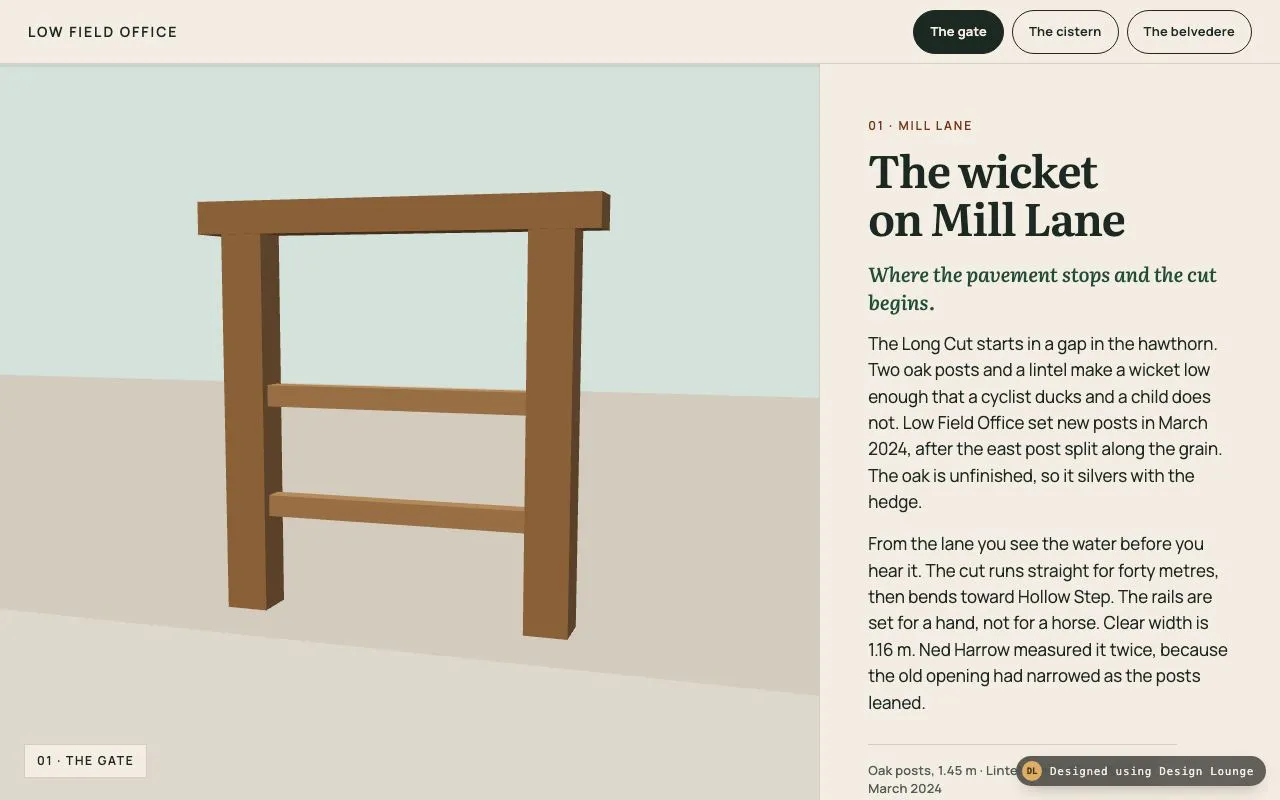
A long page for Low Field Office about The Long Cut, a towpath with three stops: a wicket, a cistern, and a belvedere. The copy sits in a right-hand column. A canvas sticks on the left. Scroll progress moves the camera along a path so each chapter frames its own object. Three buttons jump to a chapter. With reduced motion the camera does not glide, and the buttons still jump. The first frame is chapter 1, with the gate already in view.

## Reference behaviour

1. First frame: `scrollY` is 0. The button "The gate" has `aria-current="true"`. The stamp reads "01 · The gate". The camera is at `(1.35, 1.22, 3.9)`, looking at `(0.05, 0.7, 0)`. The oak wicket fills the canvas. The cistern and the belvedere are out of frame. Progress `t` is 0. The clay bar has scaleX 0.
2. Scroll the page. `t = scrollY / (scrollHeight - innerHeight)`, clamped 0 to 1. The displayed camera eases toward the sample at `t`: each frame, `shown += (t - shown) * 0.08`, and snaps when the gap is under `0.0008`. The sample smoothsteps between the poses below. The bar's `scaleX` follows `shown`.
3. Poses, in scene units:

   | t | Camera position | Look-at |
   | --- | --- | --- |
   | 0 | 1.35, 1.22, 3.9 | 0.05, 0.7, 0 |
   | 0.5 | 8.35, 2.15, 3.7 | 7, 0.32, 0 |
   | 1 | 15.55, 2.05, 4.7 | 14, 1.05, 0 |

   Between 0 and 0.5, and between 0.5 and 1, blend with smoothstep `u*u*(3-2*u)`. Field of view is 36°. Near 0.08, far 80.
4. The chapter whose top has crossed `64 + 120` pixels from the viewport top is current. At t 0 that is the gate. Around t 0.5 it is the cistern (water in a gritstone tank, a faceted capstone on the near corner). At t 1 it is the belvedere (limestone shaft, roof on four posts, a clay rail). The matching button gets `aria-current="true"`. The others lose it. The stamp and a polite live region update only when the chapter changes: "Showing the gate", "Showing the cistern", "Showing the belvedere".
5. "The gate" scrolls to that article's top, minus the 64px header. "The cistern" and "The belvedere" do the same. Behaviour is `smooth` when motion is allowed. The camera glides because scroll events keep feeding `t`.
6. With `prefers-reduced-motion: reduce`: `shown` is set equal to `t` on every scroll event, so the camera does not glide. Button clicks use `scrollTo({ behavior: 'auto' })`. `scroll-behavior` on the document is `auto`. The buttons still move the page to the chapter. The stamp and `aria-current` still update.
7. The three objects stay in the world the whole time. The camera travels. Nothing fades out to swap a picture.
8. Geometry is built in code: boxes, plus one icosahedron of radius `0.22` for the capstone. No loaded model.

## Structure

```
1280 × 800, page is about 2410px tall
┌──────────────────────────────────────────────────────────────────┐
│ LOW FIELD OFFICE          [The gate] [The cistern] [The belvedere] │ 64px fixed
├────────────────────────────────────┬─────────────────────────────┤
│                                    │ 01 · MILL LANE              │
│   sticky canvas                    │ h1 The wicket on Mill Lane  │

… 256 more lines. Copy or download for the full brief. Loading the source…Brief
296 linesBuild brief for a coding agent. Rebuild this piece in the reader’s stack. If they haven’t said which stack, ask once, then default to semantic HTML + CSS + a little vanilla JS. Match the numbers below; don’t “improve” them.
The page chrome is HTML and CSS. The world is a Three.js scene. Build it from the scene graph in Implementation notes. The Lounge demo is raw WebGL so it stays one file. Do not rebuild the models as CSS boxes, and do not put a Three.js script in the demo file.
What it is
A long page for Low Field Office about The Long Cut, a towpath with three stops: a wicket, a cistern, and a belvedere. The copy sits in a right-hand column. A canvas sticks on the left. Scroll progress moves the camera along a path so each chapter frames its own object. Three buttons jump to a chapter. With reduced motion the camera does not glide, and the buttons still jump. The first frame is chapter 1, with the gate already in view.
Reference behaviour
-
First frame:
scrollYis 0. The button “The gate” hasaria-current="true". The stamp reads “01 · The gate”. The camera is at(1.35, 1.22, 3.9), looking at(0.05, 0.7, 0). The oak wicket fills the canvas. The cistern and the belvedere are out of frame. Progresstis 0. The clay bar has scaleX 0. -
Scroll the page.
t = scrollY / (scrollHeight - innerHeight), clamped 0 to 1. The displayed camera eases toward the sample att: each frame,shown += (t - shown) * 0.08, and snaps when the gap is under0.0008. The sample smoothsteps between the poses below. The bar’sscaleXfollowsshown. -
Poses, in scene units:
t Camera position Look-at 0 1.35, 1.22, 3.9 0.05, 0.7, 0 0.5 8.35, 2.15, 3.7 7, 0.32, 0 1 15.55, 2.05, 4.7 14, 1.05, 0 Between 0 and 0.5, and between 0.5 and 1, blend with smoothstep
u*u*(3-2*u). Field of view is 36°. Near 0.08, far 80. -
The chapter whose top has crossed
64 + 120pixels from the viewport top is current. At t 0 that is the gate. Around t 0.5 it is the cistern (water in a gritstone tank, a faceted capstone on the near corner). At t 1 it is the belvedere (limestone shaft, roof on four posts, a clay rail). The matching button getsaria-current="true". The others lose it. The stamp and a polite live region update only when the chapter changes: “Showing the gate”, “Showing the cistern”, “Showing the belvedere”. -
“The gate” scrolls to that article’s top, minus the 64px header. “The cistern” and “The belvedere” do the same. Behaviour is
smoothwhen motion is allowed. The camera glides because scroll events keep feedingt. -
With
prefers-reduced-motion: reduce:shownis set equal toton every scroll event, so the camera does not glide. Button clicks usescrollTo({ behavior: 'auto' }).scroll-behavioron the document isauto. The buttons still move the page to the chapter. The stamp andaria-currentstill update. -
The three objects stay in the world the whole time. The camera travels. Nothing fades out to swap a picture.
-
Geometry is built in code: boxes, plus one icosahedron of radius
0.22for the capstone. No loaded model.
Structure
1280 × 800, page is about 2410px tall
┌──────────────────────────────────────────────────────────────────┐
│ LOW FIELD OFFICE          [The gate] [The cistern] [The belvedere] │ 64px fixed
├────────────────────────────────────┬─────────────────────────────┤
│                                    │ 01 · MILL LANE              │
│   sticky canvas                    │ h1 The wicket on Mill Lane  │
│   gate, then cistern, then tower   │ deck, two paragraphs, fact  │
│   stamp: 01 · The gate             │                             │
│   3px progress bar on the top edge │ article min-height: 100vh-64│
│                                    │ then chapter 02, then 03    │
└────────────────────────────────────┴─────────────────────────────┘
1.28fr 0.72frheader(fixed, 64px): a home link “Low Field Office” pointing at#gate, and anavlabelled “Chapters” with threebuttonelements,data-jumpofgate,cistern,belvedere.div.shell: CSS grid,minmax(0, 1.28fr) minmax(0, 0.72fr),padding-top: 64px.div.stage(sticky,top: 64px,align-self: start, heightcalc(100vh - 64px)): canvasaria-hidden="true"(the articles carry the words), a 3px bar, the stampp, and a hidden error line.div.copy: threearticleelements, idsgate,cistern,belvedere. Each has a minimum height ofcalc(100vh - 64px), an index line, a heading, a deck, two paragraphs, and a fact line.- The only
h1is “The wicket on Mill Lane”. The other two titles areh2. - A visually hidden polite live region sits after the shell.
Chapter copy, in order:
| Id | Index | Title | Deck | Fact |
|---|---|---|---|---|
| gate | 01 · Mill Lane | The wicket on Mill Lane | Where the pavement stops and the cut begins. | Oak posts, 1.45 m · Lintel span 1.50 m · Rebuilt March 2024 |
| cistern | 02 · Hollow Step | The cistern at Hollow Step | A stone tank the width of a small room, left open. | Gritstone · 1.55 m square · Water 180 mm below the rim |
| belvedere | 03 · Far Bend | Belvedere Three | The last lookout, and the only one you can stand on. | Limestone · Platform at 1.55 m · Twelve treads · Three replaced in 2025 |
Body paragraphs name Low Field Office, Ned Harrow, Mill Lane, Hollow Step, and Far Bend. Keep those nouns if you are reproducing this demo. An adaptation replaces them and keeps the camera behaviour.
Tokens
:root {
  --paper: #F3EDE3;     /* page and header */
  --ink: #1C2822;       /* text, active pill */
  --muted: #4E5E55;     /* fact line */
  --moss: #1F4D38;      /* deck */
  --index: #7A3418;     /* chapter index */
  --clay: #C4622D;      /* progress bar and belvedere rail */
  --line: rgba(28, 40, 34, 0.16);
  --sky: #D5E2DC;       /* canvas clear, the sky above the ground */
  --focus: #1F4D38;
  --serif: "Literata", Georgia, serif;
  --sans: "Manrope", system-ui, sans-serif;
  --text: 17px;
  --ease: cubic-bezier(0.2, 0.7, 0.2, 1);
  --fast: 160ms;
  --header: 64px;
  --radius-pill: 999px;
}
Renderer clear colour is #D5E2DC. The ground is a separate mesh, #C9BBA6, so a horizon shows.
Typography
| Role | Family | Size | Weight | Line-height | Tracking | Case |
|---|---|---|---|---|---|---|
| Office link | Manrope | 14px | 600 | 1 | 0.14em | uppercase |
| Chapter button | Manrope | 13px | 600 | 1 | 0.02em | sentence |
| Index | Manrope | 12px | 600 | 1 | 0.16em | uppercase, colour #7A3418 |
| h1 and h2 | Literata | 44px | 600 | 1.08 | -0.02em | sentence |
| Deck | Literata italic | 20px | 500 | 1.4 | 0 | sentence, colour #1F4D38 |
| Body | Manrope | 17px | 400 | 1.55 | 0 | sentence, max 38ch |
| Fact | Manrope | 13px | 500 | 1.4 | 0.02em | sentence, colour #4E5E55 |
| Stamp | Manrope | 12px | 600 | 1 | 0.14em | uppercase |
At 1024px and under, headings are 36px and article padding drops from 56px 48px 72px to 40px 28px 56px.
Motion
| Thing | Trigger | Property | From → to | Duration | Easing | Reduced motion |
|---|---|---|---|---|---|---|
| Camera | scroll | position and look-at | sample(shown), shown eases to t | 8% of the gap per frame | exponential | shown = t immediately, no glide |
| Chapter jump | button | scrollY | current → article.top - 64 | native smooth scroll | browser | behavior auto, still jumps |
| Progress bar | scroll | scaleX | 0 → shown | follows the camera value | none of its own | jumps with t |
| Pill | hover | background | transparent → rgba(28, 40, 34, 0.06) | 160ms | cubic-bezier(0.2, 0.7, 0.2, 1) | no transition |
| Document | any anchor | scroll-behavior | smooth | native | native | auto |
The render loop runs while shown is catching t, then stops. A resting chapter is one frame.
States
- Current chapter button: background
#1C2822, text#F3EDE3,aria-current="true". - Other buttons: transparent, 1px
#1C2822border, text#1C2822. Hover washes 6% ink. - Focus-visible: 2px solid
#1F4D38, 3px offset, on the office link and the three buttons. - Stamp text matches the current chapter: “01 · The gate”, “02 · The cistern”, “03 · The belvedere”.
- WebGL failure: the error line shows in
#C4622D. The articles still scroll and the buttons still jump. - No disabled button. Chapter 1 is the resting state, not an empty state.
Accessibility
- One
h1, then twoh2elements. Each article is labelled by its heading. - The nav is
aria-label="Chapters". The current button usesaria-current="true". - Buttons are 44px tall. The office link is in the 64px header, with padding that keeps the hit area at least 44px.
- Jumping is a button click, so Enter and Space work. The page move is a real scroll, so the heading of the chapter comes up under the header.
- The live region is polite and updates only when the chapter id changes, not on every scroll pixel.
- The canvas is
aria-hidden. Do not make it a second copy of the chapter title for assistive tech. The stamp is visual. - Body text
#1C2822on#F3EDE3is well above 4.5:1. The index#7A3418on#F3EDE3clears 4.5:1. Do not set the index in the brighter clay#C4622D. That clay is for the 3px bar and the rail mesh. - Focus order: office link, three buttons, then the articles’ text (nothing in the articles is a control).
Responsive rules
- At 1280 and above: two columns, 1.28fr and 0.72fr. The stage sticks. Each article is at least one viewport minus 64px, so the three poses land on the three chapters.
- At 1024: columns become equal. Headings 36px. The camera path does not change.
- At 768 and below, including under 640: one column. The stage is
position: relative,top: 0, height52vh, and sits above the copy. Articles lose the tall minimum height. Header padding becomes 16px and button padding 12px. Scroll still drives the camera. Buttons still jump. No horizontal overflow: the grid columns useminmax(0, …)and the header does not use100vw.
Acceptance checklist
Always
- A sticky or fixed canvas shows a 3D world while the copy scrolls.
- Scroll progress moves one camera along a path of three poses. Three different objects are in the world at once.
- The first frame is chapter 1 with its object in frame.
- Three buttons jump to the three chapters and set
aria-current. - Reduced motion disables the camera glide and sets scroll behaviour to auto. The buttons still jump.
- Focus rings are visible on the link and the buttons.
- No horizontal overflow at 1280 or at 768.
- The loop stops when the camera has caught the scroll position.
This demo
- Office name “Low Field Office”. Titles: “The wicket on Mill Lane”, “The cistern at Hollow Step”, “Belvedere Three”.
- Button labels: “The gate”, “The cistern”, “The belvedere”.
- Poses match the table: gate at t 0, cistern at t 0.5, belvedere at t 1. Fov is 36°.
- Gate timber is
#7A4E2C. Cistern water is#1B6572. Capstone is an icosahedron, radius 0.22, colour#6E675F. Belvedere rail is#C4622D. - Stamp on the first frame reads “01 · The gate”.
- Header is 64px. Article minimum height is
calc(100vh - 64px)at desktop widths.
Implementation notes
The Lounge demo is raw WebGL so it stays one file. Build the product from this scene graph in Three.js. Do not add Three.js to the demo file. Do not replace the path with three stacked pictures or with CSS boxes.
1. Scene graph
import * as THREE from 'three';

const scene = new THREE.Scene();
scene.background = new THREE.Color('#D5E2DC');

const camera = new THREE.PerspectiveCamera(36, width / height, 0.08, 80);
camera.position.set(1.35, 1.22, 3.9);

const renderer = new THREE.WebGLRenderer({ antialias: true });
renderer.setPixelRatio(Math.min(devicePixelRatio, 2));
renderer.toneMapping = THREE.ACESFilmicToneMapping;
renderer.toneMappingExposure = 1.05;

const key = new THREE.DirectionalLight('#FFF6E8', 3.5);
key.position.set(-3.5, 8.2, 4.4);
scene.add(key);
const fill = new THREE.DirectionalLight('#C5D6E4', 0.7);
fill.position.set(4.5, 2.4, -2.2);
scene.add(fill);
scene.add(new THREE.AmbientLight('#D5E2DC', 0.42));

function solid(w, h, d, color, metal, rough, x, y, z) {
  const mesh = new THREE.Mesh(
    new THREE.BoxGeometry(w, h, d),
    new THREE.MeshStandardMaterial({ color, metalness: metal, roughness: rough })
  );
  mesh.position.set(x, y, z);
  scene.add(mesh);
}

solid(42, 0.24, 20, '#C9BBA6', 0.02, 0.95, 7, -0.12, 0.4);
solid(30, 0.04, 1.7, '#E7DCC8', 0, 0.9, 7, 0.02, 1.35);
solid(0.16, 1.45, 0.16, '#7A4E2C', 0.02, 0.74, -0.58, 0.725, 0);
solid(0.16, 1.45, 0.16, '#7A4E2C', 0.02, 0.74, 0.58, 0.725, 0);
solid(1.5, 0.12, 0.18, '#7A4E2C', 0.02, 0.7, 0, 1.48, 0);
solid(1.16, 0.08, 0.08, '#8C5E38', 0.02, 0.72, 0, 0.82, 0);
solid(1.16, 0.08, 0.08, '#8C5E38', 0.02, 0.72, 0, 0.4, 0);
solid(1.55, 0.46, 1.55, '#8A948F', 0.04, 0.88, 7, 0.23, 0);
solid(1.18, 0.08, 1.18, '#1B6572', 0.42, 0.16, 7, 0.42, 0);

const cap = new THREE.Mesh(
  new THREE.IcosahedronGeometry(0.22, 0),
  new THREE.MeshStandardMaterial({ color: '#6E675F', metalness: 0.05, roughness: 0.86 })
);
cap.position.set(7.72, 0.68, 0.62);
scene.add(cap);

solid(1.4, 0.24, 1.4, '#D9D2C6', 0.02, 0.86, 14, 0.12, 0);
solid(0.74, 1.2, 0.74, '#E7E1D6', 0.02, 0.8, 14, 0.84, 0);
solid(1.22, 0.08, 1.22, '#E7E1D6', 0.02, 0.78, 14, 1.48, 0);
[[-0.48, -0.48], [0.48, -0.48], [-0.48, 0.48], [0.48, 0.48]].forEach(([x, z]) => {
  solid(0.08, 0.5, 0.08, '#CDBFAE', 0.02, 0.75, 14 + x, 1.77, z);
});
solid(1.36, 0.07, 1.36, '#D9D2C6', 0.03, 0.8, 14, 2.06, 0);
solid(1.08, 0.06, 0.06, '#C4622D', 0.08, 0.55, 14, 1.68, 0.52);
The gate is the boxes at x 0. The cistern is the boxes at x 7 plus the icosahedron. The belvedere is the boxes at x 14. They are far enough apart that each pose frames only one of them.
2. Scroll lerp
This is the control. It is not OrbitControls.
const poses = [
  { t: 0,   eye: new THREE.Vector3(1.35, 1.22, 3.9), at: new THREE.Vector3(0.05, 0.7, 0) },
  { t: 0.5, eye: new THREE.Vector3(8.35, 2.15, 3.7), at: new THREE.Vector3(7, 0.32, 0) },
  { t: 1,   eye: new THREE.Vector3(15.55, 2.05, 4.7), at: new THREE.Vector3(14, 1.05, 0) }
];
const eye = poses[0].eye.clone();
const at = poses[0].at.clone();
let shown = 0;

function sample(t, outE, outA) {
  const i = t < 0.5 ? 0 : 1;
  const A = poses[i], B = poses[i + 1];
  const u = (t - A.t) / (B.t - A.t);
  const s = u * u * (3 - 2 * u);
  outE.lerpVectors(A.eye, B.eye, s);
  outA.lerpVectors(A.at, B.at, s);
}

function frame() {
  const max = document.documentElement.scrollHeight - innerHeight;
  const goal = max > 0 ? Math.min(1, Math.max(0, scrollY / max)) : 0;
  const wantE = new THREE.Vector3();
  const wantA = new THREE.Vector3();
  sample(reduce ? goal : shown, wantE, wantA);
  if (reduce) shown = goal;
  else shown += (goal - shown) * 0.08;
  if (!reduce) sample(shown, wantE, wantA);
  eye.copy(wantE);
  at.copy(wantA);
  camera.position.copy(eye);
  camera.lookAt(at);
  renderer.render(scene, camera);
}
Buttons:
button.addEventListener('click', () => {
  const el = document.getElementById(button.dataset.jump);
  const top = el.getBoundingClientRect().top + scrollY - 64;
  scrollTo({ top, behavior: reduce ? 'auto' : 'smooth' });
});
Call the same jump for all three ids. Reduced motion changes the behaviour argument. It does not remove the listener.
3. Common mistakes
- Crossfading three images. The camera has to move past meshes that exist together.
- Starting at t 0 with the cistern or the belvedere in the middle of the frame. Pose 0 looks at the gate.
- A smooth camera glide under
prefers-reduced-motion. Setshown = goaland usebehavior: 'auto'. - Disabling the buttons in reduced motion. They still jump.
- Putting the chapter index in
#C4622D. That colour fails on#F3EDE3at 12px. Use#7A3418for the index. - Adding Three.js to the Lounge demo, or rebuilding the gate as CSS divs. The product uses the graph above.
Details
- Palette
- Type
- Literata · Manrope
- Motion
- Rich motion
- Build
- Multi-step
- Tags
Studied
Susan AcharyaDraw one scene and let it move a little. The words stay calm on top.
All sourcesOn the shelves